> ## Documentation Index
> Fetch the complete documentation index at: https://docs.crun.ai/llms.txt
> Use this file to discover all available pages before exploring further.
# AI Image Upscale API
> High resolution image Upscaler and Enhancer.
## Overview
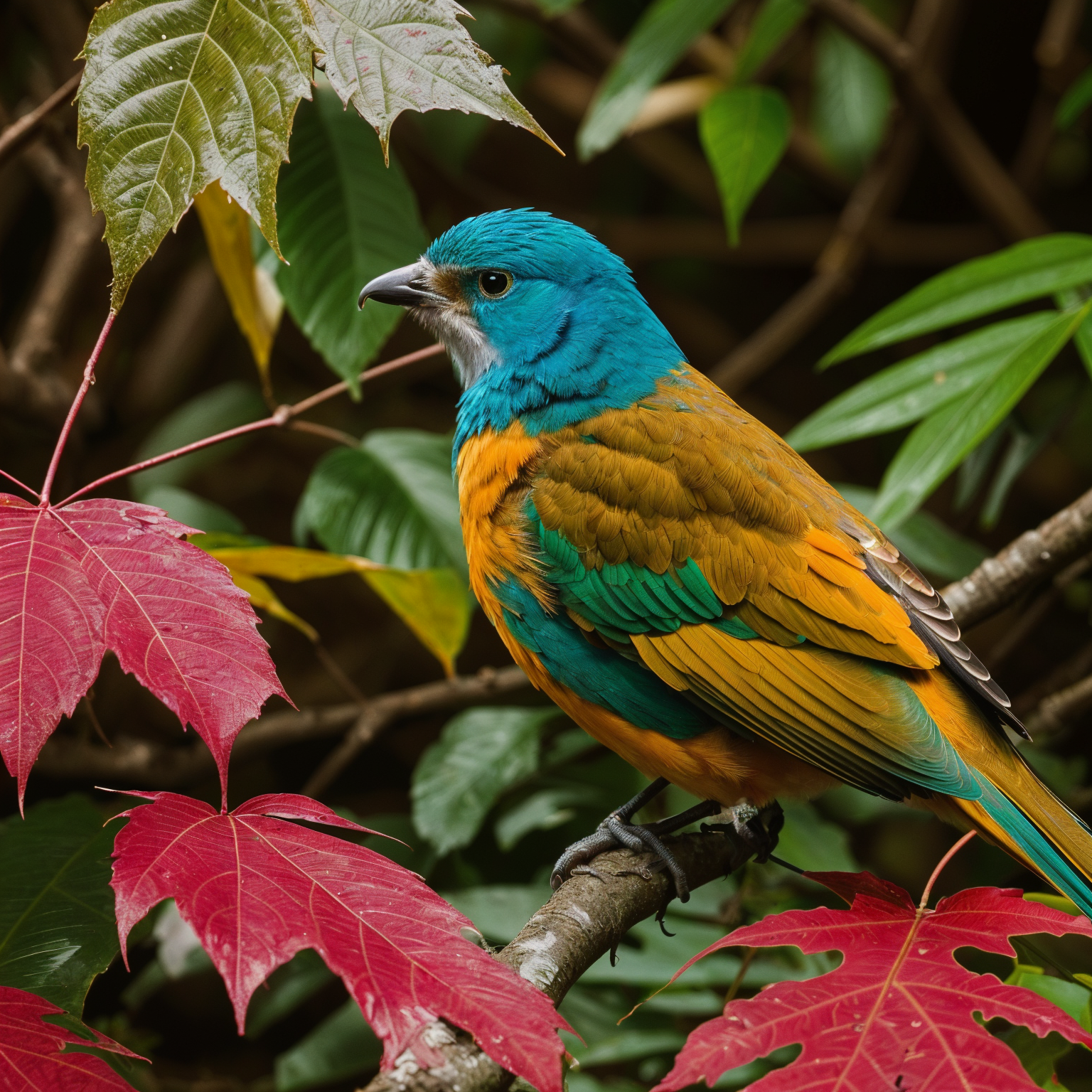
`image-upscale` is an AI enhancement endpoint for enlarging images while improving detail quality.\
It supports prompt-guided enhancement, hand correction, optional mask control, and output format selection.
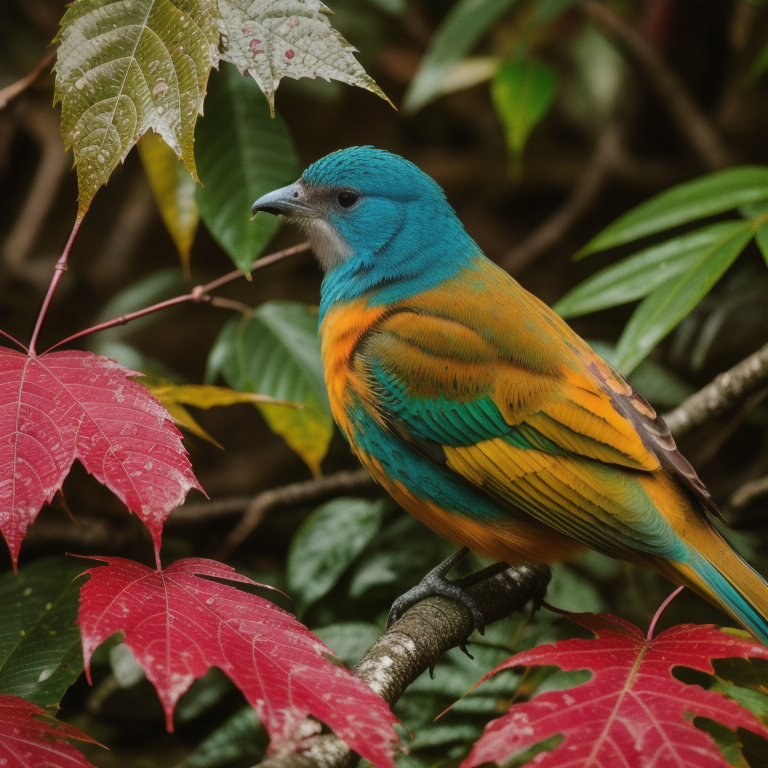
## Before & After Example
**Before (input):**
**After (upscaled output):**
## Parameter Notes
* `scale_factor`: Output scale multiplier. Larger values produce larger images and usually take longer.
* `dynamic`: HDR/detail intensity. Higher values increase local contrast and texture emphasis.
* `creativity`: How much the model is allowed to "invent" details beyond the source.
* `resemblance`: How strongly output should remain faithful to the original image.
* `num_inference_steps`: Sampling steps. More steps may improve detail but increase runtime.
* `handfix`: Hand repair mode (`disabled`, `hands_only`, `image_and_hands`).
* `pattern`: Enable seamless pattern mode for tileable textures.
* `output_format`: Output image format (`png`, `jpg`, `webp`).
## Usage Example
```json theme={null}
{
"model": "image-upscale",
"callback_url": "https://your-domain.com/api/callback",
"input": {
"img_urls": [
"https://example.com/input.jpg"
],
"prompt": "masterpiece, best quality, ultra detailed, realistic, sharp focus",
"negative_prompt": "worst quality, low quality, blurry, noisy, artifacts",
"scale_factor": 2,
"dynamic": 6,
"creativity": 0.3,
"resemblance": 0.8,
"num_inference_steps": 18,
"handfix": "disabled",
"output_format": "png"
}
}
```
## Query Task Status
After submitting a task, use the unified query endpoint to check progress and retrieve results:
Learn how to query task status and retrieve generation results
For production use, we recommend using the `callback_url` parameter to receive automatic notifications when generation completes, rather than polling the status endpoint.
## Related Resources
Explore all available models
Check credits and account usage
## OpenAPI
````yaml ai-tools/image-upscale.json post /api/v1/client/job/CreateTask
openapi: 3.0.0
info:
title: Crun Image Upscale API
description: crun.ai Image Upscale API Documentation
version: 1.0.0
contact:
name: Technical Support
email: support@crun.ai
servers:
- url: https://api.crun.ai
description: API Server
security:
- ApiKeyAuth: []
paths:
/api/v1/client/job/CreateTask:
post:
summary: Image upscale and enhancement
operationId: image-upscale
requestBody:
required: true
content:
application/json:
schema:
type: object
required:
- model
- input
properties:
model:
type: string
enum:
- image-upscale
description: >-
The model name to use for this endpoint. Must be
`image-upscale`.
callback_url:
type: string
format: uri
description: >-
Optional. Callback URL for receiving task completion
notifications.
example: https://your-domain.com/api/callback
input:
$ref: '#/components/schemas/ImageUpscaleInput'
example:
model: image-upscale
callback_url: https://your-domain.com/api/callback
input:
img_urls:
- https://example.com/input.jpg
prompt: masterpiece, best quality, ultra detailed, realistic
negative_prompt: worst quality, low quality, blurry, artifacts
scale_factor: 2
dynamic: 6
creativity: 0.3
resemblance: 0.8
num_inference_steps: 18
handfix: disabled
output_format: png
responses:
'200':
description: Request successful
content:
application/json:
schema:
allOf:
- $ref: '#/components/schemas/ApiResponse'
- type: object
properties:
data:
type: object
properties:
task_id:
type: string
description: >-
Task ID, can be used with Get Task Details
endpoint to query task status
example: task_12345678
example:
code: 200
message: success
data:
task_id: task_12345678
'422':
description: Validation Error
content:
application/json:
schema:
allOf:
- $ref: '#/components/schemas/ApiResponse'
- type: object
properties:
errors:
type: array
description: Detailed validation error messages
items:
type: string
example:
- specific error field message
example:
code: 422
message: Missing Params or Type Error
errors:
- specific error field message
'500':
$ref: '#/components/responses/Error'
components:
schemas:
ImageUpscaleInput:
type: object
description: Input parameters for image upscale and enhancement.
properties:
img_urls:
type: array
description: Input image URLs. Exactly one image is currently supported.
items:
type: string
format: uri
example: https://example.com/input.jpg
minItems: 1
maxItems: 1
prompt:
type: string
description: >-
Optional positive prompt for guided enhancement. If omitted, system
default prompt is used.
example: masterpiece, best quality, ultra detailed, realistic
negative_prompt:
type: string
description: >-
Optional negative prompt for suppressing unwanted artifacts. If
omitted, system default negative prompt is used.
example: worst quality, low quality, blurry, artifacts
scale_factor:
type: number
description: Upscale multiplier.
default: 2
maximum: 10
example: 2
dynamic:
type: number
description: HDR/detail intensity. Suggested range is usually 3-9.
default: 6
minimum: 1
maximum: 50
example: 6
creativity:
type: number
description: Creative strength. Higher values may deviate more from source image.
default: 0.35
minimum: 0
maximum: 1
example: 0.3
resemblance:
type: number
description: >-
Fidelity to source image. Higher values generally preserve source
appearance.
default: 0.6
minimum: 0
maximum: 3
example: 0.8
sharpen:
type: number
description: Optional post-sharpen strength. `0` means no sharpening.
minimum: 0
maximum: 10
example: 0
num_inference_steps:
type: integer
description: Sampling steps for enhancement.
default: 18
minimum: 1
maximum: 100
example: 18
mask:
type: string
description: Optional mask image URL/string for regional control.
example: https://example.com/mask.png
handfix:
type: string
description: Hand correction mode.
enum:
- disabled
- hands_only
- image_and_hands
default: disabled
example: disabled
pattern:
type: boolean
description: Enable seamless pattern mode for tileable textures.
example: false
output_format:
type: string
description: Output image format.
enum:
- webp
- jpg
- png
default: png
example: png
required:
- img_urls
ApiResponse:
type: object
properties:
code:
type: integer
enum:
- 200
- 401
- 402
- 404
- 422
- 429
- 455
- 500
- 501
- 505
description: >-
Response status code
- **200**: Success - Request has been processed successfully
- **401**: Unauthorized - Authentication credentials are missing or
invalid
- **402**: Insufficient Credits - Account does not have enough
credits to perform the operation
- **404**: Not Found - The requested resource or endpoint does not
exist
- **422**: Validation Error - The request parameters failed
validation checks
- **429**: Rate Limited - Request limit has been exceeded for this
resource
- **455**: Service Unavailable - System is currently undergoing
maintenance
- **500**: Server Error - An unexpected error occurred while
processing the request
- **501**: Generation Failed - Content generation task failed
- **505**: Feature Disabled - The requested feature is currently
disabled
message:
type: string
description: Response message, error description when failed
example: success
responses:
Error:
description: Server Error
securitySchemes:
ApiKeyAuth:
type: apiKey
in: header
name: x-api-key
description: >-
All APIs require authentication via API Key.
Get API Key:
1. Visit [API Key Management Page](https://crun.ai/user-api-key) to get
your API Key
Usage:
Add to request header:
x-api-key: YOUR_API_KEY
Note:
- Keep your API Key secure and do not share it with others
- If you suspect your API Key has been compromised, reset it immediately
in the management page
````